
Passport Photo Background Rules:What You Must Know
Getting your passport photo rejected is frustrating, and in many cases, the background is the problem.
Modern biometric scanning systems require strict compliance with official passport photo background standards. Even slight gray walls, shadows, textures, or objects can cause automatic rejection.
What are the exact passport photo background rules? How to take compliant photos at home? What are baby passport photo standards? What are the most common rejection reasons? This guide will answer all these quesions.
What Is the Correct Passport Photo Background Color?
Quick Answer:
Passport photos must have a plain white or off-white background.
The background must be:
- evenly lit
- with no shadows, objects, patterns, or textures.
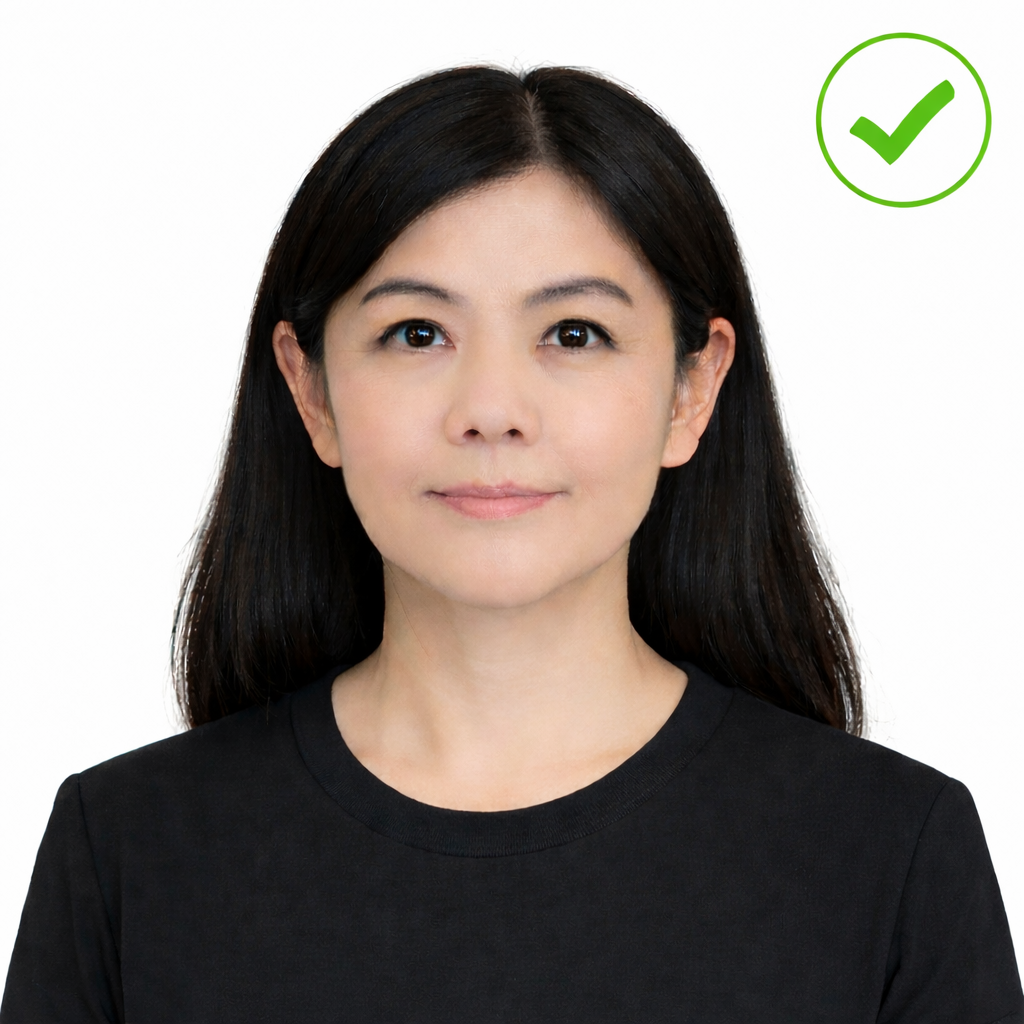
Using the wrong background color is one of the most common reasons passport photos are rejected.
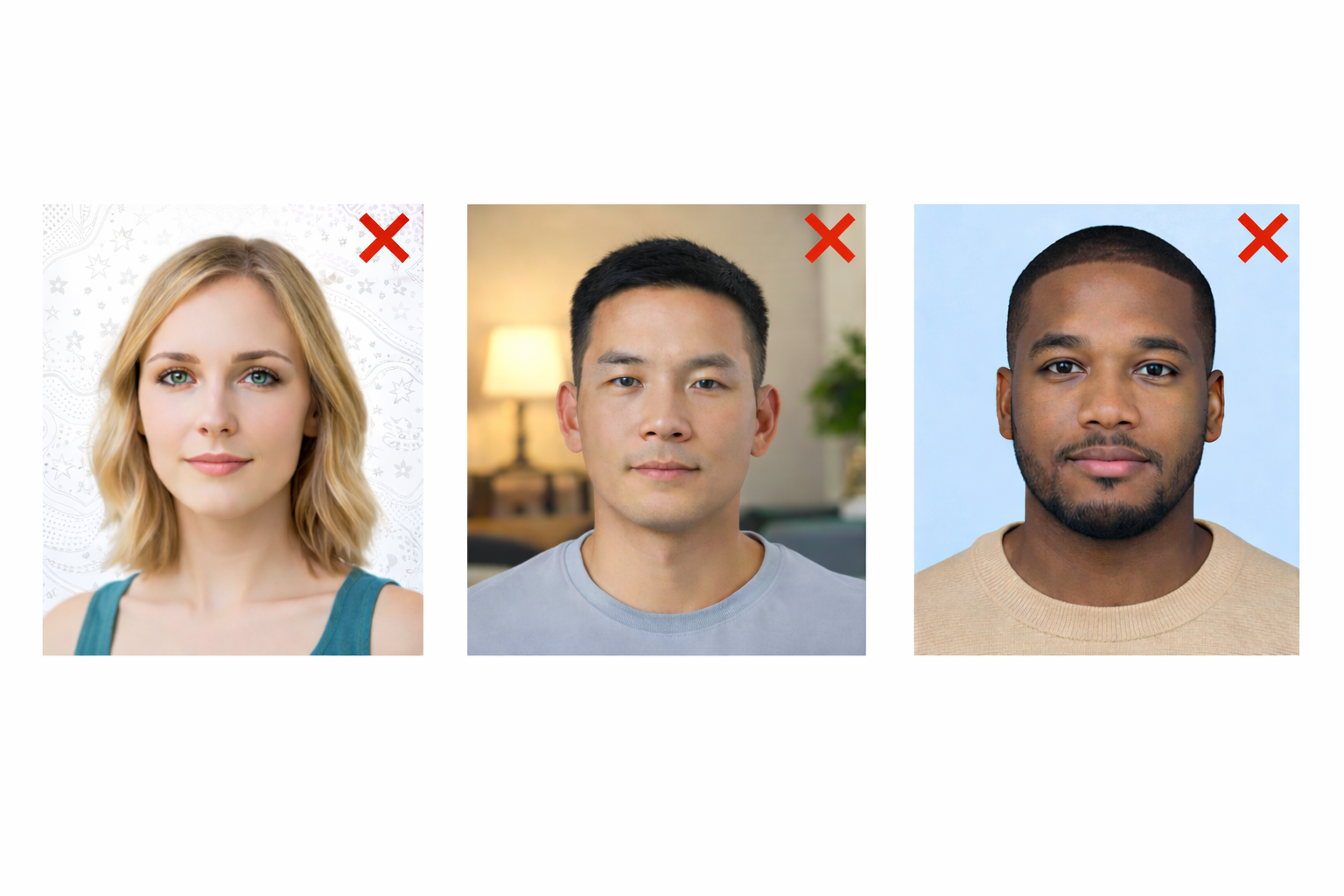
Official Passport Photo Background Requirements
1. Use a Solid White Background
-
The background must be pure white or off-white
-
No designs, gradients, textures, or colored walls
-
The background must appear completely plain
2. No Shadows on the Background
-
No shadows behind your head or shoulders
-
Stand at least 1–2 feet away from the wall
-
Use front-facing soft light to avoid dark areas
3. No Objects or People Allowed
Your passport photo background must not include:
-
Furniture
-
Curtains
-
Decorations
-
Toys (for baby photos)
-
Hands or supports
Only your head and shoulders should be visible.
4. Strong Contrast With Your Clothing
-
Avoid wearing white or light cream clothing
-
Choose darker colors like navy, gray, or black
-
Your hair and shoulders must clearly stand out from the white background
Can You Take a Passport Photo at Home?
Yes. You can take a passport photo at home if the background meets official requirements.
How to Create a White Passport Photo Background at Home
-
Use a plain white wall or hang a white sheet
-
Stand 1 - 2 feet from the background
-
Face a window or soft lamp directly
-
Avoid ceiling lights that create shadows
-
Keep the background completely blank
Baby Passport Photo Background Rules
Baby passport photos must be taken against a plain white or very light-colored background. The background must be:
-
Solid in color
-
Completely free of patterns, textures, or designs
-
Free from visible seams, furniture, blankets, or toys
-
Neutral and evenly colored across the entire photo
Cream or light graymay be accepted in some countries, but pure white is always the safest option.
No Shadows or Color Casts
There must be no shadows on the background, especially behind the baby’s head. Shadows can cause automatic rejection because they interfere with biometric scanning. The background must also be free of color casts caused by room lighting, windows, or camera flash.
No Objects or Hands Visible
The photo must show only the baby. Hands, blankets, pillows, toys, car seats, or adult fingers used to support the baby must not appear in the photo. If the baby needs support, use a white blanket and position it behind the baby so no support is visible.
Why Passport Photos Get Rejected
Most rejections happen because of:
-
colored backgrounds
-
Shadows behind the head
-
Visible objects
-
Over-editing
-
Clothing blending into the background
Frequently Asked Questions
Can I use a white wall for passport photos?
Yes. The wall must be smooth, clean, and completely white with no texture or patterns.
What happens if my passport photo background is wrong?
Your application may be delayed or rejected, and you will need to resubmit new photos.
Can I use a cream or light gray background?
No. Only white or off-white backgrounds are accepted.
Can my passport photo have a background?
Yes, but it must be a plain, solid white or very light off-white background with no patterns, textures, shadows, objects, or people visible. Any colored, textured, or cluttered background can cause your passport photo to be rejected.